
BrightArk
iScan Intraoral Scanner for Digital Impressions
BrightArk iScan captures three-dimensional digital dental impressions to support orthodontic and restorative workflows in dental clinics.
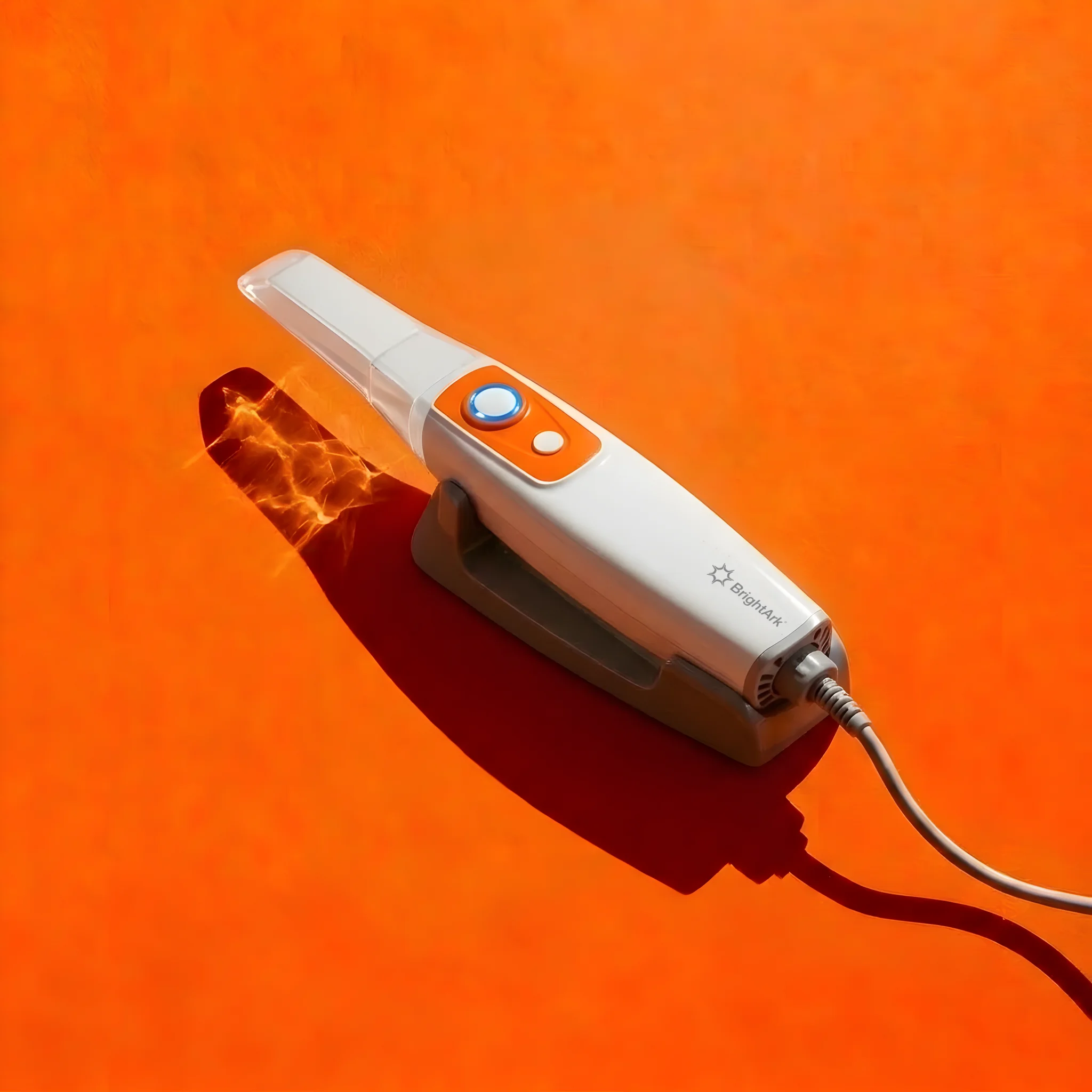
BrightArk iScan: Digital Impressions for Modern Dentistry
Use intraoral scanning to capture digital records of teeth and oral structures and share files within a compatible digital workflow.
iScan Key Features
Fast: Full arch scan in just 60 seconds; single arch in 25 seconds.
Precise: Full arch accuracy <20 µm; single arch <15 µm; single tooth <10 µm.
Light: Only 160g. Calibration-free, AI-powered and connected by a single Type-C cable.
Designed for Chairside Digital Scanning
Featherlight Design: Weighing only 160g—equivalent to a cup of water—the iScan is engineered for ergonomic comfort and effortless all-day use.
True Calibration-Free Tech: Experience zero downtime. Advanced self-diagnosis and drift compensation algorithms ensure accurate, repeatable performance without the need for manual calibration.
Type-C Plug & Play Simplicity: A stable direct connection via a single Type-C cable allows your computer to power the device directly, simplified further by a secure Tail Spiral Buckle design.
Digital Scanning Workflow and Performance
Full Arch + Occlusion: 60 seconds. Single Arch (Upper/Lower): 25 seconds.
FPS: 20 Frames per Second. Linear Scanning Speed: 80 mm/s.
Understanding Scanner Accuracy
Full Arch: <20 µm. Single Arch: <15 µm. Single Tooth: <10 µm.
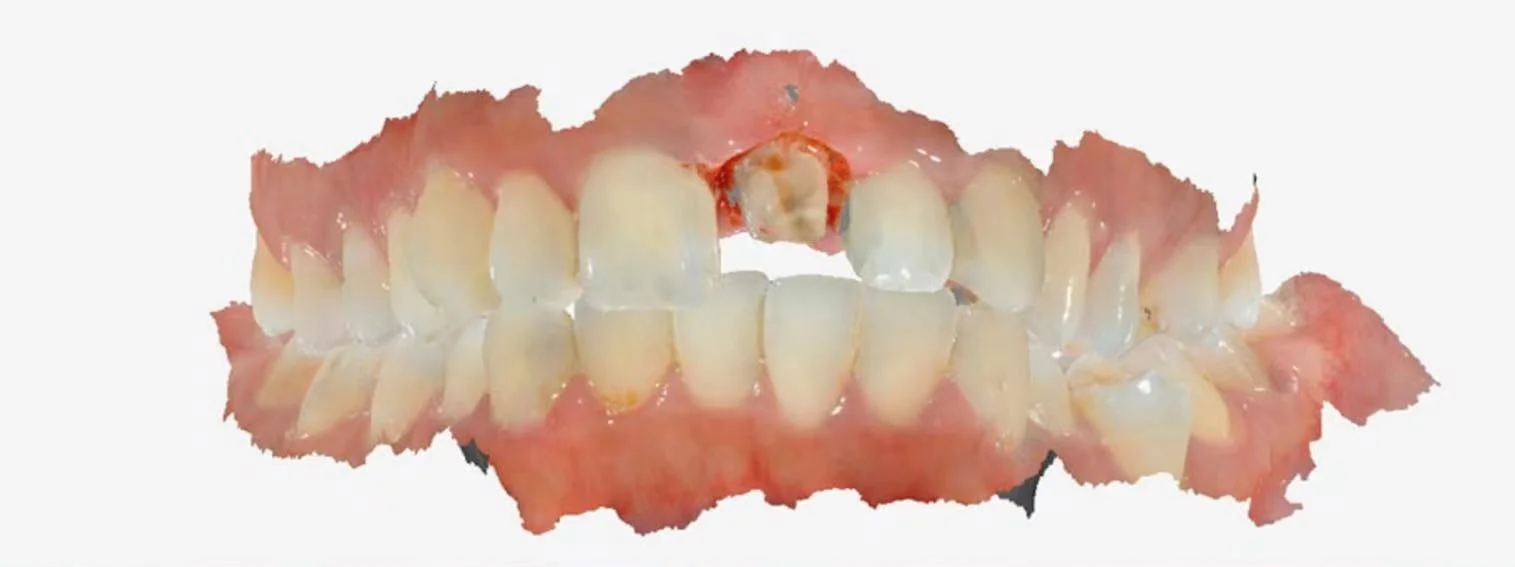
Digital Tools for Case Review and Communication
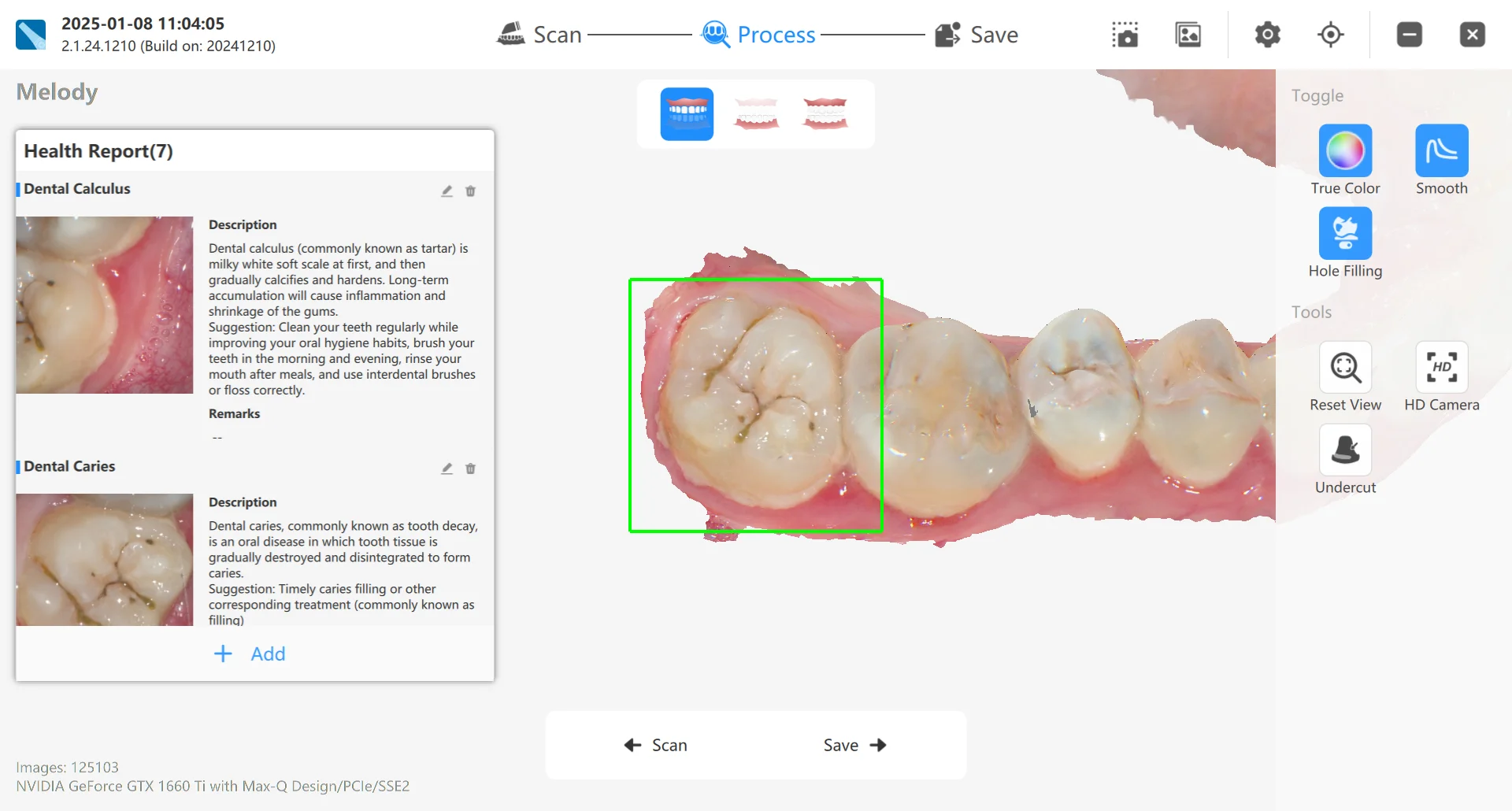
AI Lesion Detection: Automatically identify 8 major dental issues, including plaque, tartar, gingivitis, and various stages of caries.
Orthodontic Simulation: Instantly generate 3D treatment simulations post-scan to enhance patient consultations and confidence.
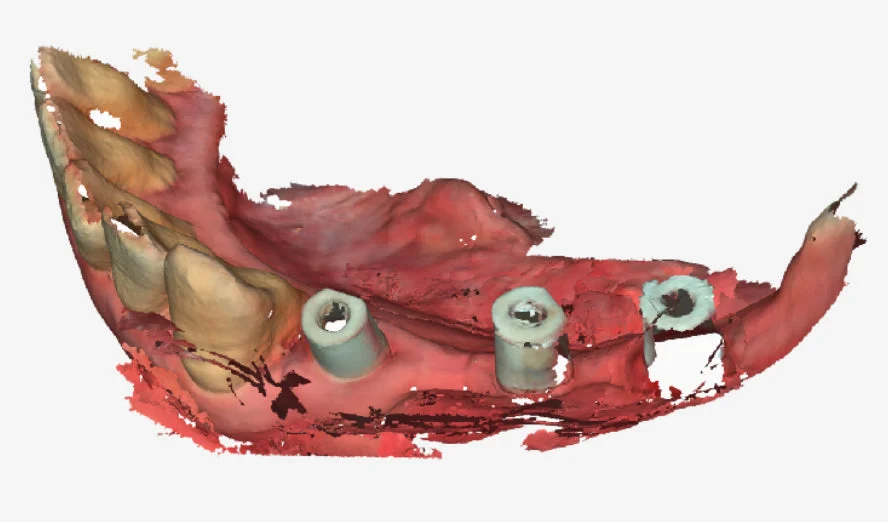
Scan Body Matching: Speed up implant workflows. Our AI matches data from the scan body database in just 2–3 seconds, improving the patient experience and data accuracy.
Scanner Controls and Scan Capture
One-Button Remote Control: Switch functions and confirm scans directly from the handpiece, allowing doctors to operate without removing gloves to maintain a sterile environment.
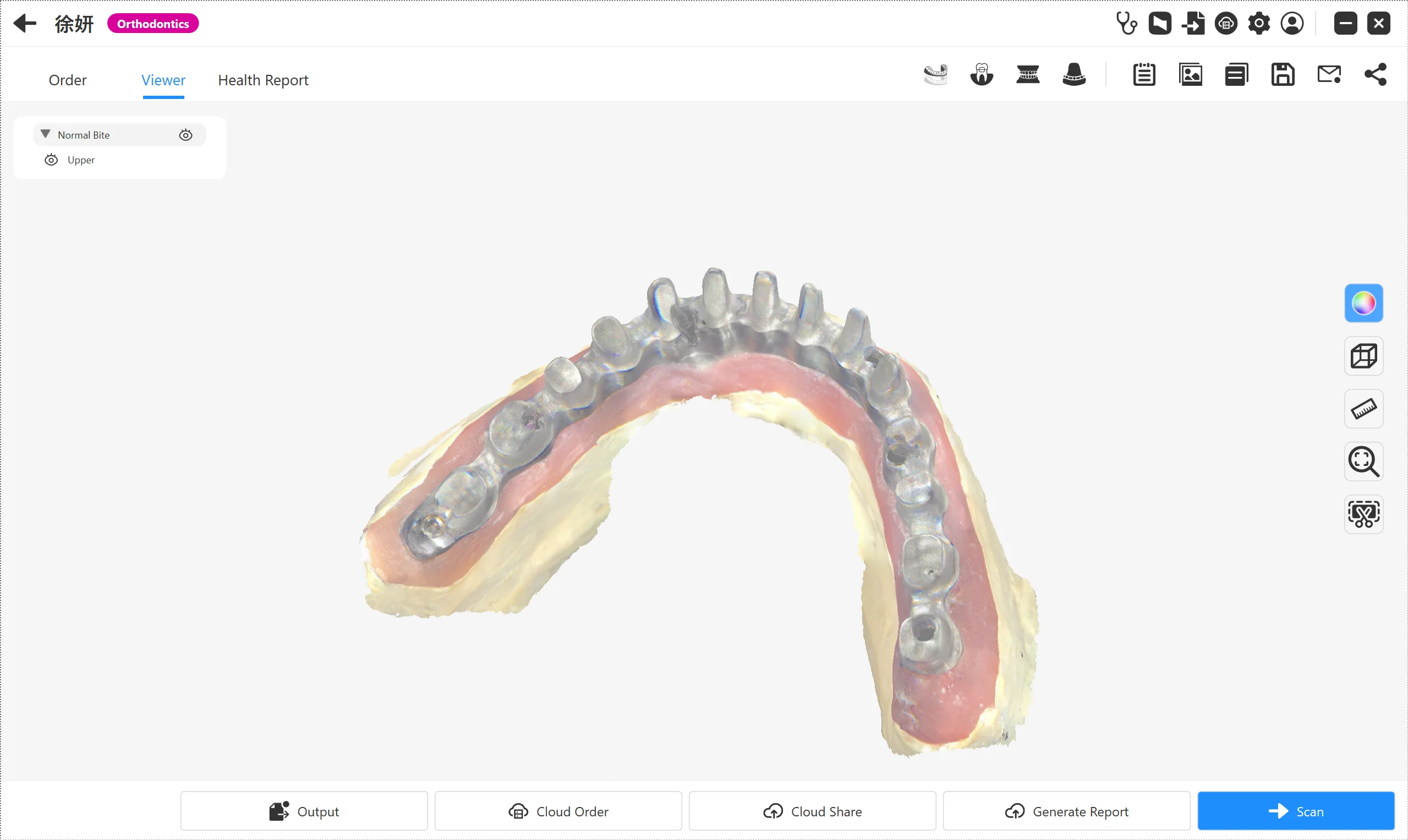
Optimized Metal Scanning Experience: Key enhancements have been made to address the challenges of noise and reflection during metal scanning. With upgraded scanning tools, dentists can now easily capture data from various metallic materials with greater accuracy and efficiency.
Clinical Applications of iScan
Anti-Fog Technology: Integrated resistance heating ensures a clear, fog-free view during every scan with no vibration or noise.
Metal & Impression Scanning: Optimized tools to address reflections in metallic materials and a dedicated mode for combining intraoral scans with silicone impressions.
Two Tip Sizes: Includes Standard and Mini tips, both autoclavable up to 100 times at 134°C for superior infection control.
Computer Requirements for iScan
Review the recommended computer configuration before installing iScan. Check the supported operating system, processor, graphics card, memory and storage for the current software version.
|
Component |
Laptop |
Desktop |
|
CPU |
Intel Core i7-14700HX Intel Core i7-13700H Intel Core Ultra 7 155H AMD Ryzen 7 8745H AMD Ryzen 7 7735H |
Intel Core i7-14700K Intel Core i7-13700K AMD Ryzen 7 8700F AMD Ryzen 7 7700X |
|
RAM |
32 GB |
32 GB |
|
Graphics Card |
NVIDIA GeForce RTX 5060 (VRAM ≥ 8 GB) NVIDIA GeForce RTX 4060 (VRAM ≥ 8 GB) NVIDIA GeForce RTX 3070 (VRAM ≥ 8 GB) NVIDIA RTX A3000 (VRAM ≥ 8 GB) Note: AMD Radeon not supported |
NVIDIA GeForce RTX 5060 (VRAM ≥ 8 GB) NVIDIA GeForce RTX 4060 (VRAM ≥ 8 GB) NVIDIA GeForce RTX 3070 (VRAM ≥ 8 GB) NVIDIA RTX A3000 (VRAM ≥ 8 GB) Note: AMD Radeon not supported |
|
Storage |
1 TB SSD or higher |
1 TB SSD or higher |
|
Operating System |
Windows 10 64-bit Windows 11 |
Windows 10 64-bit Windows 11 |
|
USB Ports |
USB 2.0 / 3.0 |
USB 2.0 / 3.0 |
|
Display Resolution |
1920 × 1080 or higher |
1920 × 1080 or higher |
See iScan in a Clinical Workflow
Contact BrightArk to discuss an iScan demonstration, clinic setup and compatibility with your digital dental workflow.
Book iScan DemoFrequently Asked Questions
What is an intraoral scanner used for?
An intraoral scanner captures 3D digital impressions that may support dental assessment, orthodontic planning and restorative workflows.
Talk to BrightArk About Intraoral Scanning
Discuss product information, demonstrations and workflow requirements with the BrightArk team.
Contact Us